Tuesday, 4 April 2023

How to create an effective Facebook advertising strategy in 2023

How to create an effective Facebook advertising strategy in 2023

We offer a range of services to give your business an online presence, allowing you to focus your time and energy on the rest of your company, contact us at MySalesScript.com.

When spending your advertising budget, you may need help figuring out how to get the most out of your money. Besides, there are a lot of different marketing and advertising alternatives. How do you know which will work best for your business, reach your desired audience, and give you the greatest return on investment?

Despite all the changes Facebook has undergone in recent months, it’s still a great place to advertise your business. Ads are affordable, and you can target your “ideal” customers. With about 1.93 billion people using this social media platform daily, you’re sure to reach the audience you want.

As with any marketing or advertising platform, you should approach this endeavor with a solid plan or strategy. Without such a plan, you could throw flyers off a bridge and hope for the best.

Why should you use Facebook ads?

Why should you use paid Facebook ads? Here are some key benefits you can enjoy by advertising on Facebook and developing a targeted strategy.

Ability to reach a large audience

With nearly 3 billion monthly active clients, Facebook is still the largest social media platform. Because it attracts such a large user base, you can get your brand noticed on a large scale.

Ability to fine-tune your targeting

Facebook’s targeting features are some of the best in the industry. By default, the platform displays your ad to users most likely to be interested in it. However, you can further refine the targeting based on the following:

  • Interests, geography, age, and many other factors.
  • Previous engagement with your business
  • Similarity to your best customers
  • Access to reliable ad analytics

Facebook’s analytics provide you with comprehensive insights into your ad performance. You can use it to track your performance in real time. You can even create custom reports based on the metrics that matter to you.

Facebook Ads Strategy 2023

If you’re advertising on Facebook for the first time, this landscape may seem like a scary new territory that no business has entered. But it isn’t. There are greater than 3 million services actively promoted on Facebook.

“Wait a minute .. Isn’t it oversaturated, then? Should not I advertise elsewhere?” There are so many marketers on Facebook since it works. It’s a great way to reach your target audience and get them to act (ideally, buy your product).

However, you must know that only some of those 3 million advertisers succeed. Many have yet to understand their ideal customer and how to target the people they wish to offer.

So the question is whether you should advertise on Facebook. Instead, the question is how to advertise correctly to make the ROI worth it.

What you should know before you set up your Facebook ad

We understand you’re excited, but some pre-planning will help make your campaign more successful.

First, you need to know who your customer is:

  1. Who are they?
  2. What is their family situation?
  3. How much do they make?
  4. Where do they live? (Both geographically and whether they own or rent).
  5. Where do they work?
  6. How do they spend their free time?

Once you know who they are, take it further and understand their thoughts.

What keeps them up at night? What is their emotional state, and what needs do they want to be met? How do they identify themselves? How they see themselves is typically more crucial than exactly how you see them (even if your view is much more practical).

Next, walk through the average Customer Journey. What steps does the customer go through when they:

  1. Recognize that they have a problem
  2. Recognize what the problem is
  3. Discover possible solutions
  4. Become aware of yourself as an option
  5. Decide to purchase your product

This path may look slightly different for each customer. However, in general, they fall into three categories:

  • Awareness phase (top of the funnel).
  • Consideration phase (middle of the funnel).
  • choice stage (at the bottom of the funnel).

Why is this important for you as an advertiser? Because you will adjust your content, offers, wording, and call to action depending on the phase of the Client Journey your possible buyer remains in.

Lastly, it would be best to split your audience into segments based on which stage of the Customer Journey they are in. That will allow you to make the relevant offers to the right people at the right time.

Right here are some examples of feasible audience sections:

  • All new clients in the “prospect” stage enter your funnel as cozy leads because they want your item.
  • Warm leads have seen your site but have yet to take action. You can use retargeting to remind them that you are there, waiting for them, with the solution to their problems.
  • Engaged blog readers like your blog and like to come back again and again. They will share your content on Facebook or make a purchase.
  • Landing page visitors come to a specific landing page and will likely be interested in that product.
  • Visitors who abandoned their shopping carts were this close to making a purchase. But something stopped them. They may need a little push to complete their purchase.
  • Returning customers love your brand. They have purchased from you in the past and are happy to return. These customers can advocate for your brand by praising and recommending your product to their friends.
  • As you learn more about your audience, you can discover different segments requiring different messages.
  • Consider how your Facebook method will differ depending on who you’re promoting to and where they remain in their trip (and in your channel). Think about these alternatives.
  • If you want to target potential customers, you can create ads around your brand or content that helps them understand their problem (and positions you as an expert).
  • If your goal shifts and you want to CONVERSE with prospects, you’ll use contests, giveaways, free trial offers, and lead ads.
  • When it’s time to move prospects to close, you’ll use lead-nurturing campaigns, discount offers, sales campaigns, and limited-time offers to get them to buy.
  • Once prospects become customers, it’s time to press them with premium deals, reference programs, upsell projects, and helpful information concerning their acquisitions.

Before we dive into Facebook advertising strategy, there’s one more step. It’s called the Facebook Pixel, and if you want to track your conversion (which you do), you need to install it. The Facebook pixel is a chain of tracking points you take from Facebook and embed into your website. After that, it tracks what visitors do when they pertain to your website. That allows you to tailor your ads to actual user behavior better.

Not very tech-savvy but still want to set up your website? Facebook provides step-by-step instructions on how to install a Facebook Pixel on your website.

Facebook advertising strategies

Now that you’ve laid the groundwork for strong Facebook ads, we can look at different strategies you can use for your ads.

Depending on the audience segments you want to target, these strategies may not all be appropriate. Keep your audience research in mind when looking at these options.

1. Combine Facebook ads with content marketing

198,900+ Facebook Marketing Stock Photos, Pictures & Royalty-Free Images - iStock | Social media, Digital marketing, Social marketing

Many businesses make the mistake of targeting warm leads with ads designed to convert them into paying customers. They know better. They know a warm lead has yet to be ready to buy from you. Instead of scaring them off with sales-only offers, please provide them with helpful content that answers their questions and solves their problems. This content needs to be short, engaging, and valuable. Be patient. Eventually, you will convert those warm leads into customers.

How do you do that?

  • Create web content.
  • Share material on Facebook.
  • Ask your team members (and possibly a handful of pals) to like and share the article.
  • Boost your Facebook message so you can get to a larger target market.

2. Use giveaways and contests

2,500+ Online Giveaway Stock Photos, Pictures & Royalty-Free Images - iStock

Facebook contests can be something other than sales-focused. Instead, by introducing your conversion funnel, you can offer a potentially high-value prize to increase brand name recognition that will undoubtedly pay off in the future. 

3. Use lead ads to build your marketing list

900+ Lead Generation Stock Photos, Pictures & Royalty-Free Images - iStock | Marketing, Leads, Sales leads

A large Facebook following is great, but Facebook “owns” your contacts. If Facebook changes its algorithm or stops operating, you lose access to those people.

Consumers can enter their email addresses directly into Facebook (without extra steps or friction) and receive a gift. You can add their email to your marketing list and include them in future marketing campaigns. If you create a lead magnet, such as a free e-book or course, and then run a lead ad, you can build your marketing list.

4. Include video ads

3,500+ Youtube Ad Stock Photos, Pictures & Royalty-Free Images - iStock | Youtube ad template, Youtube ad mockup

If you’ve been running advertisements for a while and not getting the outcomes you were expecting, or if you’re new to Facebook advertisements and intend to check out different options to see what works best for your circumstance, video clip ads might be just what you need.

Adobe found that shoppers who watch videos are 1.81 times more likely to purchase than those who don’t. Not only are videos popular, but they also have the lowest reasonable cost per click (CPC) compared to other ad types. Want to sweeten the deal even more?

5. Create Facebook and Google ads

130+ Google Adwords Stock Photos, Pictures & Royalty-Free Images - iStock

While many marketers view these platforms as one or the other, Facebook and Google complement each other very well.

Again, your strategy must depend on the goals of your campaign and the audience segment you want to target. For instance, someone searching for a specific product, such as a new computer, is most likely prepared to acquire and is simply researching alternatives. Utilizing the ideal keyword phrases and creating Google ads around those key phrases can be better than targeting warm leads on Facebook with enhanced brand awareness.

6. Use Facebook Mobile Ads

Facebook ads Stock Photos, Royalty Free Facebook ads Images | Depositphotos

Before we go any further: Is your website or landing page optimized for mobile ads? If your website is not set up for it, you are not ready for mobile ads. That means users will have a positive user experience regardless of their device. Even though 94% of Facebook’s ad revenue was generated from mobile devices, you’re throwing money out of the proverbial window if you send potential customers to a website that causes them frustration.

Facebook Ads Best Practices for a Successful Advertising Campaign

Effective use of the Facebook Pixel

The Facebook Pixel is the key to tracking conversions you receive from Facebook. It is just a small code that you need to add to your website. You can use the results obtained with the help of the pixel to retarget visitors and reach the warm audience again for multiple business impacts, thus improving your conversion rates.

Adjust the frequency of ads

It takes 7 to 8 ad impressions for a new user to remember your brand. You need to adjust your ad frequency to make the most of your ad campaigns. Also, adjust your budget accordingly because the more often your ad is shown to the same viewer, the higher the cost will be.

If you test, you win

It would be best if you had testing to succeed with Facebook ads. You need to test everything: Your ad copy, CTAs, ad titles, ad descriptions, ad timing, and ad formats to know what works and what doesn’t.

Track and optimize

You can only scale your ad campaign with analytics and accurate tracking. Use Facebook ad analytics and other powerful analytics tools to know where you stand with your Facebook ad campaigns.

Conclusion

When developing a strategy for your Facebook ads, the most important thing is understanding your audience better. All the fancy strategies and new tricks will only help if you know who you’re selling to and how close they are to buying.

Please get to know your ideal customer to learn who they are, what they do, and want. Once you know where your prospects are on their path to purchase, you’ll be better able to get them to buy your product.

Facebook may have changed, but the value of understanding your customers will always remain the same.

Frequently Asked Questions

How can I target an audience using the Facebook advertising platform based on language?

All you require to do is follow the standard setup procedure. Then, under your ad set, click on your ad options and select a specific language audience you want to target in the “Detailed Audience Targeting” section.

Will I lose my Facebook Ads money without getting the results I want?

Unfortunately, that is the case. Assuming you don’t follow the setup procedure properly, don’t focus on optimizing your ads, and need to do your research well, there’s an increased chance you won’t get the results you want with Facebook Ads, wasting your valuable money.

What if Facebook doesn’t approve my ad?

There can be several reasons why Facebook rejects your ad the first time. However, you can review the reason for rejection, correct your mistake, and reapply for review.

Are Facebook ads more effective than Google ads?

That depends on the intent of your marketing campaign and budget. If you want to target your customers and make them aware of their problem and have a limited budget, Facebook ads may be ideal. In contrast, Google ads target people already searching for the product or solution you’re offering. These hot leads need immediate answers and will cost you more than Facebook ads.

Did you enjoy the post? Fast-track implementation by purchasing our Facebook Ads template so you can skyrocket conversions.

The post How to create an effective Facebook advertising strategy in 2023 appeared first on MySalesScript.


https://media.istockphoto.com/id/1201792304/photo/social-media.jpg?s=612x612&w=0&k=20&c=A6pvdJAr8VHsOsIIVY3UrlgiQ3YOgyddb6Zh2Rzd8b4=
https://www.mysalesscript.com/how-to-create-an-effective-facebook-advertising-strategy-in-2023/?utm_source=rss&utm_medium=rss&utm_campaign=how-to-create-an-effective-facebook-advertising-strategy-in-2023


Enhance Your Email Marketing Campaign for Free

Enhance Your Email Marketing Campaign for Free

Promoting your website to the appropriate audience can be challenging, but email marketing is still considered one of the most effective methods. Email marketing has the highest ROI compared to other methods, with a ratio of $40 earned for each dollar spent.

Several effective marketing strategies are cost-free; therefore, it is recommended to utilize them.

Unlock the Secrets to Email Marketing Success – Discover Why It Reigns Supreme!

Get ready to have your mind blown! Discover the secrets behind the fantastic returns on email marketing investment – it’s like magic!

Studies show that subscribing to emails may impact customer engagement and purchasing behavior by increasing the likelihood of reading and interacting with the content.

Statistically, a significant portion of individuals maintains the same email address for an extended period, with 51% having used the same email address for over a decade. This presents a potential opportunity for long-term marketing efforts unless the individual chooses to unsubscribe.

Email campaigns are a commonly utilized marketing tool that can be tailored to suit the specific requirements of a business. Companies can effectively individualize their emails to target diverse customer segments by utilizing email templates.

Listen up, folks! Here’s the deal: email marketing is the ultimate wingman. No matter your marketing goals, it’s the perfect match for any other method. And trust me; there’s a lot more where that came from! So hop on board and let email take your strategy to the next level.

At what point is it optimal to begin constructing a list of subscribers?

When researching online, it is common to come across various recommendations on what tasks to prioritize, with this particular task often being included in the list of initial actions to take.

Marketing plays a significant role in website growth, and the approach can vary based on the website’s purpose, whether it’s a blog or an E-commerce platform. Starting early can lead to faster growth, but it’s essential to recognize that each website is distinct.

It is recommended to start immediately once your website is fully operational.

Here are Eight Effective Email Marketing Strategies to Consider

There are established strategies in email marketing that have been consistently effective. It is advisable to consider eight proven methods to enhance the effectiveness of this marketing method.

1. Utilize Social Media

Utilize Social MediaEmail marketing can enhance other advertising methods, including social media. Combining both methods can effectively promote your website.

However, the question remains, how do I combine the two?

It is common for emails from large corporations to include social media sharing buttons at the message’s bottom.

Placing share buttons under the call to action in your email can lead to the most success with this tactic. For instance, offering a 10% off promo code and including share buttons below may be practical.

This is because when customers receive an email, they often scan it for coupons or promotions. The potential for significant outcomes increases if the email is shared on social media.

2. Utilize The Subject Line effectively

Utilize The Subject Line effectively

Have you noticed similarities in how companies like Netflix and eBay handle email communications?

They all use your first name in the subject line.

This method is called personalized promotional mailing, an email customized to cater to the individual reader. Studies have shown that this approach can be efficient.

Unlock the magic of personalization! Studies reveal that personalized promotional mailings boast a mind-blowing 29% hike in unique open rates and a whopping 41% surge in unique click rates compared to generic emails. Don’t let these incredible numbers slip away!

Including a personal touch in the subject line can have benefits, and adding a name is a method to accomplish this.

3. Avoid Gmail’s promotions tab.

Avoid Gmail’s promotions tabGmail is the second most widely used email platform globally, after Apple iPhone. In 2013, Gmail introduced a new tab called promotions.

The idea was initially proposed to improve the email sorting experience for Gmail users, but it did not benefit businesses.

The promotions tab is often mistaken for a spam folder, resulting in fewer clicks for emails that end up there. Ensuring that your email avoids being categorized as a promotion is essential to prevent this.

Gmail considers multiple factors when analyzing emails, such as the number of links, images, and specific keywords commonly used in such emails, including terms like free, urgent, and low risk.

It is essential to ensure your marketing efforts are not hindered by being placed in this tab.

4. Create Multiple Email Groups

Create Multiple Email GroupsStudies indicate that incorporating personalization into email correspondence can increase effectiveness. This can be achieved by collecting data through surveys or by segmenting subscribers into distinct groups based on factors like purchase history or location.
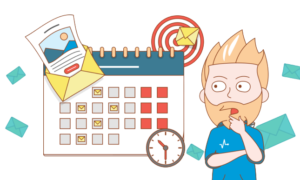
Sending a single email message simultaneously and indiscriminately is commonly called an email blast and is generally discouraged in 2020.

By targeting specific groups with particular interests, you can create customized emails for subscribers. It is essential not to send irrelevant ads, such as a gaming ad, which would not interest non-gamer subscribers.

Sending emails tailored to specific interest groups can increase click-through rates and engagement among subscribers. It is essential to assess whether emails not aligning with individuals’ interests will still be opened.

Probably not, and that’s normal.

Using groups can have advantages, although it’s important to recognize that developing different email templates for each group can require significant time.

5. Frequency Matters

Frequency MattersThe frequency of emails is an essential factor in successful email marketing. Sending too many emails can result in user dissatisfaction and a higher likelihood of being marked as spam.

Spread the email love like butter on warm toast – your subscribers crave attention and affection! Please don’t leave them feeling neglected and starving for more.

One potential solution for managing email frequency is to include a brief section in the email footer where subscribers can indicate their preferred frequency of communication. This could be a helpful factor to consider when organizing email groups.

Set your desire frequency to your liking – daily, weekly, bi-weekly, monthly – and feel free to switch it up whenever your heart desires!

Selecting the needed item can be challenging, but making it a prominent aspect of a welcome email can be an effective solution.

Upon subscribing to our services, please indicate your preferred email frequency for the optimal experience. We appreciate your support and would like to provide you with the best experience possible by allowing you to choose how often you receive emails.

It is advised to refrain from sending excessive emails as it is not beneficial.

6. Including Social Proof in Emails can be Effective

Including Social Proof in Emails can be EffectiveMany individuals rely on social proof, such as reviews and testimonials from other customers, when making online purchases or engaging in email communication. This is due to the perceived trustworthiness of such information.

Social proof is a term used to describe this type of content. The purpose is for an unpaid reviewer who has used the product to provide a truthful review. Let’s face it, when it comes to reviews, honesty is the best policy, and shoppers know it!

Including this type of content in your email can provide significant benefits.

Exploring different possibilities for user-generated content, including social media posts and customer video reviews, could offer advantages beyond traditional reviews and testimonials.

Incorporating user-generated content into an email campaign can provide benefits, as the customer produces it without any financial cost.

7. Don’t Just Sell Products

Don’t Just Sell ProductsOne of the challenges with email campaigns by businesses is the clear intention to promote a product, a common aspect of the marketing industry.

It is possible to market a product without aggressively promoting its sale.

One effective method is to incorporate a story or blog snippet that connects to other pages, thereby increasing website traffic and enhancing the effectiveness of sales and product emails.

Having a blog can provide various advantages, and initiating one may be a viable option if you currently do not possess one.

To maintain subscriber engagement, composing non-promotional emails that capture their attention is crucial.

Research shows that customers who visit a website frequently are likelier to purchase those who visit less often.

8. Including Videos in Emails can be a Beneficial Strategy

Including Videos in Emails can be a Beneficial StrategyMost people, 70%, check their emails from a mobile device. Video content is popular among mobile users, with 75% of videos viewed from a mobile device. There is a connection between mobile devices and video content.
HTML5 has become popular, allowing seamless video viewing from emails on mobile devices. This can be beneficial in making your emails more noticeable.

Many email subscribers tend to skim the content rather than read it thoroughly. Including a video and highlighting key elements such as a promo code or deal of the week can capture their attention and encourage them to engage with the material.

Especially when it’s quality video content.

Adding videos in emails can be effective for subscribers who are millennials and younger generations. Experimenting and analyzing the results is essential to determine if it’s suitable for your user base.

Consider Paid Methods

Email marketing has a high return on investment (ROI) and is worth the investment. Prioritizing this area and allocating appropriate funds is essential, even when starting.

Website owners frequently utilize email marketing services to manage their email subscribers and send mass emails as part of their marketing strategy.

When starting, acquiring 50 subscribers may be fortunate, while reaching a thousand may not be a realistic goal. Nevertheless, as your audience grows, it is essential to uphold your email subscription.

Investing in marketing is necessary and requires financial commitment in some way, so it’s essential to make decisions without delay.

The ROI for this investment is 4000%, suggesting a quick return on investment. Profitability is expected to be achieved in a shorter period.

Don’t settle for just one Marketing Strategy – mix it up to make your Brand Shine!

Although email marketing has shown effectiveness in customer outreach this year, it is recommended to consider alternative platforms.

Social media can potentially serve as a marketing tool in the future; however, it necessitates time and effort to establish a presence. Furthermore, it is a cost-effective alternative.

Video content has become a popular marketing tool, as it dominates social media and is often the most viewed type of content. Incorporating videos into platforms like YouTube and sharing them on social media or through email can effectively combine marketing methods.

Enjoy the post? Fast track implementation by purchasing our My Sales Script – Email Subject Lines now so you can skyrocket conversions.

For more, please visit My Sales Script.

You Might Also Enjoy

The post Enhance Your Email Marketing Campaign for Free appeared first on MySalesScript.


https://www.mysalesscript.com/wp-content/uploads/2023/04/Utilize-Social-Media-300x206.png
https://www.mysalesscript.com/enhance-your-email-marketing-campaign-for-free/?utm_source=rss&utm_medium=rss&utm_campaign=enhance-your-email-marketing-campaign-for-free

Friday, 31 March 2023

Facebook Ads Account Management

Facebook Ads Account Management

Facebook Ads Account Management is the process of managing and optimizing a business’s Facebook ads account. It involves creating and running various ad campaigns, monitoring their performance, and making necessary adjustments to improve their effectiveness.

Facebook Ads Account Management is a crucial aspect of online marketing that can help businesses reach their target audience and achieve their marketing goals.
Performing Facebook Ads Account Management requires a deep understanding of Facebook’s advertising platform, as well as the ability to create compelling ad copy, target the right audience, and optimize ad performance.

It also involves keeping up with the latest trends and changes in Facebook’s algorithm and advertising policies to ensure that ads are compliant and effective.
For e-commerce businesses, Facebook Ads Account Management can be an essential tool for driving sales and revenue.

How to: Set up Facebook Business & Ads Manager » Smokeylemon

By targeting specific demographics and interests, businesses can reach potential customers who are more likely to make a purchase. This can be especially useful for businesses with a large product catalog, as they can create targeted campaigns for different product categories or customer segments.
For startups and small businesses, Facebook Ads Account Management can be a cost-effective way to reach a wider audience and grow their brand.

With Facebook’s targeting options, businesses can reach potential customers based on their location, interests, and behaviors. This can help businesses gain more visibility and generate leads without breaking the bank.
Facebook Ads Account Management is a critical component of online marketing that can help businesses achieve their goals.

Whether you’re an e-commerce business looking to drive sales or a small business looking to grow your brand, performing Facebook Ads Account Management can help you reach your target audience and achieve success.

Why are Facebook Ads Account Management Important

Facebook Ads is a powerful tool that businesses can use to reach their target audience and achieve their marketing goals.

However, simply creating a Facebook Ads account and running campaigns is not enough. Effective Facebook Ads account management is critical to ensuring that businesses get the most out of their advertising budget and achieve their desired results.
One key reason why Facebook Ads account management is important is that it allows businesses to optimize their campaigns for maximum effectiveness. A skilled account manager can analyze campaign data and make adjustments to targeting, ad creative, and other variables to ensure that ads are reaching the right people and producing the desired results.

Without this level of management, businesses may be wasting money on ineffective campaigns that fail to produce results.
Another reason why Facebook Ads account management is important is that it can help businesses stay up-to-date with the latest trends and best practices in Facebook advertising. The Facebook Ads platform is constantly evolving, with new features and tools being added regularly.

A knowledgeable account manager can help businesses stay on top of these changes and take advantage of new opportunities to reach and engage their target audience.
For e-commerce businesses, Facebook Ads account management is particularly important.

  • With the right management, businesses can use Facebook Ads to drive traffic to their website, generate leads, and increase sales.
  • An experienced account manager can help e-commerce businesses optimize their campaigns for maximum conversion rates, ensuring that they are getting the best possible return on their advertising investment.
  • For startups and small businesses, Facebook Ads account management can be especially valuable. These businesses often have limited budgets and resources, and may not have the expertise or experience needed to run effective Facebook Ads campaigns on their own.
  • By working with an experienced account manager, startups and small businesses can get the help they need to create and manage effective campaigns that drive results.
  • Effective Facebook Ads account management is essential for businesses that want to get the most out of their advertising investment.

Whether you are an e-commerce business looking to boost sales, a startup or small business in need of expert guidance, or simply looking to optimize your Facebook Ads campaigns for maximum effectiveness, a skilled account manager can help you achieve your goals and grow your business.

Performing a Facebook Ads Account Management Client Brief

Understanding the Client’s Business Goals

As a Facebook Ads Account Manager, one of the most important aspects of your job is to understand your client’s business goals. Without a clear understanding of what your client is trying to achieve, it’s impossible to create effective Facebook ad campaigns that will deliver results.
To begin with, you need to understand your client’s overall business objectives.

  • What are they trying to achieve in the long term?
  • Are they looking to increase sales, generate leads, build brand awareness, or something else entirely

Once you have a clear understanding of these objectives, you can start to break them down into more specific goals.
For example, if your client is an e-commerce business, they may want to increase their sales by a certain percentage over the next quarter.

In this case,

  • your goal as an Ads Account Manager would be to create campaigns that are optimized for conversions and have a strong focus on driving sales.
  • Similarly, if your client is a startup or small business, they may be more focused on building their brand and increasing their online presence.

In this case,

  • your goal would be to create campaigns that are optimized for engagement and have a strong focus on building brand awareness.
  • It’s also important to understand your client’s target audience.
  • Who are they trying to reach with their Facebook ads?
  • What are their interests, demographics, and behaviors?

By understanding your client’s target audience, you can create campaigns that are tailored to their needs and interests.
Ultimately, your goal as a Facebook Ads Account Manager is to create campaigns that deliver results for your client.

By understanding their business goals, target audience, and overall objectives, you can create campaigns that are optimized for success and help your client achieve their desired outcomes.

Analyzing the Client’s Target Audience

How to Master Facebook Ad Targeting & Zero-In on Your Audience

One of the most critical steps in creating a successful Facebook Ads campaign is identifying and analyzing the client’s target audience. Without a clear understanding of who the client is trying to reach, it is impossible to create effective ads that will resonate with the intended audience.
When analyzing the client’s target audience, it is important to consider several factors, including demographic data, psychographic data, and behavioral data.

Demographic data includes information such as:

  • Age,
  • gender,
  • location,
  • income level,

while psychographic data includes information on the client’s target audience’s values, interests, and lifestyle.

Behavioral data includes information such as purchase behavior, search history, and social media activity.
Once you have gathered and analyzed this data, you can use it to create detailed buyer personas that represent the client’s ideal customer.

These personas should include information on the customer’s pain points, goals, and motivations, as well as the channels they use to consume information and make purchasing decisions.
In addition to creating buyer personas, it is also important to segment the client’s target audience based on their level of engagement with the brand.

For example, you may want to create separate campaigns for new customers, repeat customers, and loyal brand advocates.
By taking the time to analyze the client’s target audience and create detailed buyer personas, you can ensure that your Facebook Ads campaigns are highly targeted and effective.

This will not only help you achieve better results for your client, but it will also help to build a stronger relationship with the client by demonstrating your commitment to their success.
Analyzing the client’s target audience is a critical step in Facebook Ads account management for businesses of all sizes.

By gathering and analyzing demographic, psychographic, and behavioral data, you can create detailed buyer personas and segment the target audience to ensure your ads are highly targeted and effective. This will help to achieve better results for your client and build a stronger relationship with them in the process.

Setting Up the Facebook Ads Account

One of the first steps in Facebook Ads Account Management is setting up the Facebook Ads account. This process is relatively straightforward, but it is important to follow the steps carefully to ensure that the account is set up correctly and ready to start running ads.
To set up a Facebook Ads account, follow these steps:

Be your facebook ads manager by Rlinux | Fiverr

Step 1: Create a Facebook Business Manager Account

The first step in setting up a Facebook Ads account is to create a Facebook Business Manager account. This account is necessary for managing Facebook Ads accounts and pages, and it allows you to grant access to other users or agencies who will be working on the account.
To create a Facebook Business Manager account, go to business.facebook.com and click the “Create Account” button. Follow the prompts to enter your business information and set up your account.

Step 2: Create a Facebook Ads Account

Facebook ads Stock Photos, Royalty Free Facebook ads Images | Depositphotos

Once you have created your Facebook Business Manager account, you can create a Facebook Ads account. To do this, go to business.facebook.com and click on the “Ads Manager” tab. Then click the “Create” button and select “Ad Account.”
Follow the prompts to enter your billing information and set up your account. It is important to select the correct currency and time zone for your account, as these settings cannot be changed once the account is created.

Step 3: Add Payment Method

After creating the Ads account, add a payment method to your account. Facebook offers a variety of payment options, including credit cards, PayPal, and bank transfers.

Step 4: Set Up Ad Campaigns

Once your Facebook Ads account is set up and your payment method is added, you can start creating ad campaigns. This involves selecting your campaign objective, choosing your target audience, creating your ad creatives, and setting your budget and ad schedule.
Overall, setting up a Facebook Ads account is a simple process that can be completed in a few easy steps. By following these steps carefully and ensuring that your account is set up correctly, you can start running effective ad campaigns and driving results for your business.

Creating a Facebook Ads Campaign

Facebook Ads campaigns are a great way to reach your target audience and boost your business. Whether you are an e-commerce business, a startup, or a small business, creating a Facebook Ads campaign is an effective way to promote your brand, products, or services, and increase your website traffic.

Here are some steps to create a successful Facebook Ads campaign:

1. Identify your objectives: Before you start creating your Facebook Ads campaign, you need to identify your objectives. What are you trying to achieve? Do you want to increase your website traffic, generate leads, or boost your sales? Having clear objectives will help you create an effective Facebook Ads campaign.
2. Define your target audience: Once you have identified your objectives, it’s important to define your target audience.

  • Who are you trying to reach?
  • What are their interests, demographics, and behaviors?

Use Facebook Audience Insights to get insights about your target audience and create a custom audience based on your objectives.
3. Choose your ad format: Facebook offers different ad formats, including image ads, video ads, carousel ads, and more. Choose the ad format that best fits your objectives and target audience.
4. Create your ad: Once you have chosen your ad format, it’s time to create your ad. Use eye-catching visuals, compelling copy, and a clear call to action to create an effective ad. Make sure to follow Facebook’s ad policies and guidelines.
5. Set your budget and bidding strategy: Determine how much you are willing to spend on your Facebook Ads campaign and choose your bidding strategy. Facebook offers different bidding strategies, including cost-per-click (CPC), cost-per-impression (CPM), and cost-per-action (CPA).
6. Launch your campaign and monitor your results: Once your campaign is launched, monitor your results and make adjustments as needed. Use Facebook Ads Manager to track your ads’ performance and optimize your campaign to achieve your objectives.
Creating a Facebook Ads campaign can be a powerful tool to boost your business. By defining your objectives, identifying your target audience, choosing the right ad format, creating a compelling ad, setting your budget and bidding strategy, and monitoring your results, you can create a successful Facebook Ads campaign that drives website traffic, generates leads, and increases your sales.

Monitoring and Optimizing the Facebook Ads Campaign

Once you have launched your Facebook ads campaign, it is essential to monitor and optimize it regularly to maximize its potential. Monitoring the campaign will help you identify any issues or areas that need improvement, while optimization will help you fine-tune your campaign to achieve your goals.
Here are a few tips to help you monitor and optimize your Facebook ads campaign:

1. Track Your Metrics

Tracking your metrics is crucial to understanding the performance of your Facebook ads campaign. Some of the essential metrics to track include reach, engagement, click-through rate (CTR), conversion rate, and cost per acquisition (CPA).

By monitoring these metrics, you can identify which ad sets and ads are performing well and which ones need improvement.

2. Set Up Automated Rules

Setting up automated rules can help you monitor your Facebook ads campaign more efficiently. You can set rules to automatically adjust your budget, bid, or schedule based on specific metrics or conditions. This will allow you to optimize your campaign in real time without the need for manual intervention.

3. Test Different Ad Formats and Creatives

Testing different ad formats and creatives can help you identify which ones perform best for your target audience. You can test different ad formats such as video, carousel, or slideshow, as well as different creatives such as images, videos, or graphics. By testing different formats and creatives, you can optimize your campaign to achieve better results.

4. Utilize A/B Testing

A/B testing is an effective way to optimize your Facebook ads campaign. You can test different elements of your ads such as the headline, image, or call-to-action to identify which ones perform best. By optimizing these elements, you can improve the overall performance of your campaign.

5. Monitor Your Competitors

Monitoring your competitors can help you identify new opportunities and stay ahead of the competition. You can use Facebook’s Ad Library to monitor your competitors’ ads and identify which ones are performing well. This will give you valuable insights into their strategies and help you optimize your campaign accordingly.
Monitoring and optimizing your Facebook ads campaign is essential to achieving your goals.

By tracking your metrics,

  • Setting up automated rules,
  • Testing different ad formats and creatives,
  • Utilizing A/B testing,
  • Monitoring your competitors,

you can optimize your campaign to achieve better results.

Facebook Ads Account Management for E-commerce Businesses

Understanding the E-commerce Business Model

6 Types of Ecommerce Business Models To Drive Results (2022)

The E-commerce business model is rapidly gaining popularity in today’s digital age, and it has become an essential aspect of the modern marketplace.

With the increasing demand for online shopping and the growth of social media platforms, E-commerce has become an attractive and lucrative option for businesses of all sizes.
E-commerce businesses operate in a virtual environment, selling products or services online through a website or social media platforms.

This business model eliminates the need for a physical storefront, reducing overhead costs and increasing profit margins.

However, E-commerce businesses still require a strategic marketing plan to attract and retain customers, and that’s where Facebook Ads Account Management comes in.
Performing a Facebook Ads Account Management Client Brief for E-commerce businesses requires:

  • A deep understanding of the business’s objectives, target audience, and marketing strategies.
  • The Facebook Ads Account Manager needs to develop a comprehensive plan that includes ad campaigns, ad types, ad formats, and targeting options that resonate with the target audience.
  • Facebook Ads Account Management for E-commerce businesses is focused on driving traffic to the website, increasing conversions, and boosting sales.
  • The Ads Account Manager must analyze the audience’s behavior, demographics, and interests to optimize ad campaigns and ensure maximum ROI.

Startups and small businesses can also benefit from Facebook Ads Account Management. Facebook Ads are an affordable and effective way for small businesses to reach their target audience and compete with larger businesses.

The Ads Account Manager can help startups and small businesses develop a strong brand identity, build customer relationships, and increase sales.
Understanding the E-commerce business model is crucial for effective Facebook Ads Account Management. The Ads Account Manager needs to have a deep understanding of the business’s objectives, target audience, and marketing strategies.

By developing a comprehensive plan that resonates with the audience, the Ads Account Manager can help E-commerce businesses, startups, and small businesses achieve their marketing goals and boost sales.

Analyzing E-commerce Products and Services

One of the key elements to creating a successful Facebook Ads campaign for an e-commerce business is analyzing the products and services that the business offers. This is important because it helps you determine the target audience for the ads, as well as the type of ad that will be most effective in promoting the products or services.
When analyzing e-commerce products and services, it is important to start by looking at the target audience.

  • Who is the ideal customer for the business?
  • What are their interests, needs, and pain points?

Understanding the target audience will help you create ads that are targeted and effective.
Next, it is important to analyze the products and services that the business offers.

  • What sets them apart from competitors?
  • What are the unique features and benefits of each product or service?

This information will help you create ad copy that highlights the unique selling points of each product or service.
It is also important to analyze the pricing of the products or services.

  • Are they priced competitively?
  • Are there any promotions or discounts that can be offered to attract customers?

This information will help you create ads that focus on the value proposition of the products or services.
When analyzing e-commerce products and services, it is also important to consider the customer journey.

  • What is the typical customer journey for the business?
  • How can Facebook Ads be used to target customers at each stage of the journey, from awareness to purchase?

Finally, it is important to analyze the competition.

  • What are the competitors doing in terms of Facebook Ads?
  • What type of ads are they running?
  • How can the business differentiate itself from the competition in its Facebook Ads?

By analyzing e-commerce products and services, you can create targeted, effective Facebook Ads that attract and convert customers. This is an essential part of Facebook Ads account management for e-commerce businesses, startups, and small businesses.

Setting Up the Facebook Ads Account for E-commerce

How To Sell With Facebook Commerce Manager In 2020

In today’s digital age, e-commerce businesses are thriving, and Facebook Ads are one of the most effective ways to reach potential customers. However, setting up a Facebook Ads account for e-commerce can be a daunting task. In this subchapter, we will guide you on how to set up your Facebook Ads account for e-commerce businesses.

Step 1: Create a Facebook Ads Account

The first step is to create a Facebook Ads account. To do this, go to Facebook Ads Manager and click on the “Create Account” button. Fill in your business details and follow the prompts to create your account.

Step 2: Set Up Your Payment Method

Once your account is created, the next step is to set up your payment method. Facebook Ads offers several payment options, including credit card, PayPal, and direct debit. Choose the payment method that suits your business needs and enter your payment details.

Step 3: Create Your Ad Account

After setting up your payment method, the next step is to create your ad account. Click on the “Ad Account Settings” button and choose the “Create Ad Account” option. Fill in your business details, including your business name, time zone, and currency. Once done, click on the “Create Ad Account” button.

Step 4: Install Facebook Pixel

Facebook Pixel is a piece of code that allows you to track user behavior on your website. It helps you to optimize your ads for conversions and retarget users who have previously visited your website. To install Facebook Pixel, go to the “Pixels” tab in your ad account and follow the prompts to install the code on your website.

Step 5: Create Your First Ad Campaign

The final step is to create your first ad campaign. Choose the objective of your campaign, such as traffic, conversions, or engagement. Set your budget, targeting options, ad format, and creative, and launch your campaign.
Setting up a Facebook Ads account for e-commerce businesses requires careful planning and execution. By following the steps outlined in this subchapter, you can create a successful Facebook Ads account that generates high-quality traffic and conversions for your e-commerce business.

Creating a Facebook Ads Campaign for E-commerce

Facebook is the world’s largest social media platform with over 2 billion active users, making it a powerful tool for businesses to reach their target audience. With its vast reach, Facebook Ads is an ideal platform for e-commerce businesses to advertise their products and services.
Creating a Facebook Ads campaign can be a daunting task, but with the right strategy and approach, it can be a game-changer for your business. In this subchapter, we will discuss the steps you need to follow to create a successful Facebook Ads campaign for your e-commerce business.

1. Define your campaign objectives

The first step in creating a Facebook Ads campaign is to define your campaign objectives. What do you want to achieve with your campaign? Is it to increase sales, generate leads, or build brand awareness? Defining your campaign objectives will help you tailor your ads and target the right audience.

2. Identify your target audience

The success of your Facebook Ads campaign depends on your ability to reach the right audience. You need to identify your target audience based on demographics, interests, behaviors, and location. Facebook’s targeting options allow you to reach a specific group of people who are most likely to be interested in your products or services.

3. Create compelling ad creatives

Your ad creatives are the most critical element of your Facebook Ads campaign. You need to create compelling ad creatives that grab your audience’s attention and encourage them to take action. Use high-quality images and videos, catchy headlines, and clear calls to action to make your ads stand out.

4. Optimize your landing pages

Your landing pages play a crucial role in converting your Facebook Ads traffic into customers. You need to create landing pages that are optimized for conversions. Use clear and concise messaging, high-quality images or videos, and a strong call-to-action to increase your chances of converting your Facebook Ads traffic.

5. Monitor and optimize your campaign

Once your campaign is live, you need to monitor its performance and make adjustments to optimize its performance. Use Facebook Ads Manager to track your ad spend, clicks, conversions, and other metrics. Use the data to identify areas of improvement and make adjustments to your campaign to improve its performance.
Creating a Facebook Ads campaign for your e-commerce business can be a powerful tool for reaching your target audience and driving sales. By following the steps outlined in this subchapter, you can create a successful Facebook Ads campaign that delivers results for your business.

Monitoring and Optimizing the Facebook Ads Campaign for E-commerce

The Facebook 20% Text Rule: Why Your Ads Might Not Be Running

E-commerce businesses today rely heavily on Facebook advertising to reach their target audience and drive sales. However, simply creating a Facebook ad campaign is not enough to guarantee success. Regular monitoring and optimization of the campaign are essential to ensure that the ads are reaching the right people and generating the desired results.
Here are some key steps to monitoring and optimizing a Facebook Ads campaign for e-commerce:
1. Set clear goals and KPIs: Before launching a Facebook ad campaign, it is important to set clear goals and key performance indicators (KPIs) to measure success. These could include metrics such as click-through rates, conversion rates, return on ad spend, and cost per acquisition.
2. Monitor performance regularly: Once the campaign is live, it is important to monitor its performance regularly. This includes tracking KPIs, analyzing ad engagement, and identifying any areas for improvement.
3. Adjust targeting and ad creative: Based on the performance data, it may be necessary to adjust the targeting and ad creative to better reach the desired audience and generate more conversions. This could involve tweaking the audience demographics or interests, changing the ad copy or imagery, or testing different ad formats.
4. Test and optimize: A/B testing is a valuable tool for optimizing Facebook ad campaigns. By testing different variables such as ad copy, imagery, and targeting, businesses can identify which variations perform best and optimize their campaigns accordingly.
5. Continuously refine and improve: E-commerce businesses should view Facebook ad campaigns as an ongoing process of refinement and improvement. By continuously monitoring and optimizing campaigns, businesses can ensure that their ads are always reaching the right people and generating the desired results.
Monitoring and optimizing a Facebook ad campaign is essential for e-commerce businesses looking to drive sales and reach their target audience.

By setting clear goals and KPIs, monitoring performance regularly, adjusting targeting and ad creative, testing and optimizing, and continuously refining and improving, businesses can ensure that their Facebook ad campaigns are always effective and generating a positive return on investment.

We offer a range of services to give your business an online presence, allowing you to focus your time and energy on the rest of your company, contact us at MySalesScript.com.

The post Facebook Ads Account Management appeared first on MySalesScript.


https://www.smokeylemon.com/assets/blog-images/FB-business-manager-set-up.png
https://www.mysalesscript.com/facebook-ads-account-management/?utm_source=rss&utm_medium=rss&utm_campaign=facebook-ads-account-management

Tuesday, 28 March 2023

Adding Google Ads Global Site Tag to a site (using GTM)

Adding Google Ads Global Site Tag to a site (using GTM)

The Global Site Tag (GTS) is a powerful tool that enables website owners to track their website’s performance and measure the effectiveness of their marketing campaigns. As a website owner, it is crucial to implement the GTS to ensure that you are getting the best results from your advertising efforts.

Importance of implementing the Global Site Tag

One of the most significant benefits of implementing the GTS is that it allows you to track conversions accurately. Conversions refer to the specific actions that users take on your website, such as purchasing a product, filling out a form, or subscribing to a newsletter. These actions are essential to the success of your business, and tracking them is crucial to understanding how your website is performing.
By implementing the GTS, you can track conversions across multiple devices and platforms, giving you a comprehensive view of your website’s performance. This information is invaluable in helping you identify areas where you can improve your website and marketing campaigns.
Another critical benefit of implementing the GTS is that it allows you to create custom audiences based on user behavior. Custom audiences are groups of users who have taken specific actions on your website, such as making a purchase or filling out a form. By creating custom audiences, you can target these users with specific marketing messages and promotions, increasing the likelihood that they will convert.
Implementing the GTS is also essential for e-commerce websites. By tracking user behavior and conversion data, you can optimize your product listings, improve your checkout process, and identify areas where you can increase sales. Additionally, the GTS allows you to track revenue data, giving you a complete picture of your website’s financial performance.
In conclusion, implementing the Global Site Tag is critical for any website owner who wants to get the most out of their marketing campaigns. By accurately tracking conversions, creating custom audiences, and optimizing your website’s performance, you can increase your online visibility, improve your ROI, and grow your business.Benefits of using GTM for the implementation
Benefits of using GTM for the implementation
If you’re looking to implement Google Ads Global Site Tag (GTag) on your website or e-commerce site, using Google Tag Manager (GTM) can make the process much easier and more efficient. Here are some of the key benefits of using GTM for GTag implementation:
1. Streamlined implementation process
Using GTM allows you to implement GTag on your site with just a few clicks, without having to edit any code. This can save you a lot of time and effort compared to manually editing your site’s code.
2. Improved tracking accuracy
By using GTM, you can ensure that your GTag implementation is accurate and consistent across your site. GTM provides a centralized location for managing all your tracking tags, which can help prevent tracking errors and discrepancies.
3. Greater flexibility and control
GTM gives you greater control over how and when your GTag tracking is implemented on your site. You can set up triggers and variables to control when specific tags fire, and even create custom tags to track specific actions or events on your site.
4. Easy testing and debugging
With GTM, you can easily test and debug your GTag implementation before going live. GTM includes a preview mode that allows you to test your tracking tags in a safe, sandboxed environment, without affecting your live site.
5. Integration with other marketing tools
GTM integrates with other marketing tools, such as Google Analytics and Google Ads, allowing you to easily track and analyze your site’s performance. This can help you make data-driven decisions and optimize your marketing campaigns for better results.
In summary, using GTM for GTag implementation offers numerous benefits, including streamlined implementation, improved tracking accuracy, greater flexibility and control, easy testing and debugging, and integration with other marketing tools. Whether you’re adding GTag to a standard website or an e-commerce site, GTM can make the process easier and more efficient, while helping you get better results from your marketing efforts.

Understanding Google Ads Global Site Tag
What is the Global Site Tag?
The Global Site Tag (GTS) is a snippet of code that helps track user behavior and conversions on your website. This tag is essential for any website that wants to run Google Ads campaigns, as it allows advertisers to measure the effectiveness of their ads and optimize their campaigns accordingly.
The GTS code is a piece of JavaScript that is placed on every page of your website. This code sends information about user behavior, such as page views, clicks, and conversions, to the Google Ads platform. By analyzing this data, advertisers can understand how users interact with their website and make data-driven decisions about their advertising strategies.
In addition to tracking user behavior, the GTS also enables advertisers to track conversions. Conversions are actions that users take on your website that are valuable to your business, such as completing a purchase, filling out a lead form, or subscribing to a newsletter. By tracking conversions, advertisers can measure the effectiveness of their ad campaigns and optimize them to drive more conversions.
To implement the GTS on your website, you can use Google Tag Manager (GTM). GTM is a free tool that allows you to add and manage marketing and analytics tags on your website without having to modify the website code directly. By using GTM, you can easily add the GTS code to your website and start tracking user behavior and conversions.
If you have an e-commerce website, it is especially important to implement the GTS. E-commerce websites have unique tracking needs, as they require tracking of product details, transaction values, and other e-commerce metrics. By implementing the GTS on your e-commerce website using GTM, you can ensure that you are tracking all of the necessary metrics to optimize your ad campaigns and drive more revenue.
In summary, the GTS is an essential tool for any website that wants to run Google Ads campaigns. By implementing the GTS using GTM, you can easily track user behavior and conversions on your website and make data-driven decisions about your advertising strategies. Whether you have a standard website or an e-commerce website, the GTS is a must-have for any advertiser looking to maximize the effectiveness of their ad campaigns.How does it work?
How Does It Work?
The Google Ads Global Site Tag is a powerful tool that allows website owners to track conversions, remarket to visitors, and optimize their ad campaigns. But how does it work, exactly?
At its core, the Google Ads Global Site Tag is a small piece of code that is added to the header of your website. This code is unique to your Google Ads account and allows Google to track user behavior on your site.
When a user lands on your site, the Global Site Tag fires and sends information about the user’s behavior back to Google. This information includes things like which pages the user visited, how long they stayed on each page, and whether or not they completed a conversion (such as making a purchase or filling out a form).
This data is incredibly valuable for optimizing your ad campaigns. By analyzing user behavior on your site, you can see which ads are driving the most traffic and which pages are converting the most users. You can also use this information to create custom audiences for remarketing campaigns.
Implementing the Google Ads Global Site Tag using Google Tag Manager (GTM) is a straightforward process. Once you have created your Google Ads account and set up your campaigns, you simply need to add the Global Site Tag code to the header of your website using GTM.
For e-commerce sites, there are a few additional steps you need to take. You will need to set up conversion tracking for your shopping cart and checkout pages, as well as create product-specific remarketing campaigns.
Overall, the Google Ads Global Site Tag is an essential tool for any website owner looking to optimize their ad campaigns and increase conversions. By tracking user behavior on your site and using this data to make informed decisions, you can ensure that your ad spend is being used effectively and efficiently.Different types of tags available
Different Types of Tags Available
When it comes to adding Google Ads Global Site Tag to your website or e-commerce site using Google Tag Manager (GTM), there are different types of tags available that you can use. These tags differ in their functionality and purpose, and it is important to understand them to make the most of your Google Ads campaigns.
Here are the different types of tags available:
1. Conversion Tracking Tag: This tag is used to track the number of conversions that occur on your website, such as when a user makes a purchase or fills out a form. It is a crucial tag to have as it allows you to measure the success of your advertising campaigns and optimize them for better results.
2. Remarketing Tag: This tag is used to track users who have visited your website and then left without making a purchase. It allows you to target these users with remarketing ads to encourage them to come back and complete their purchase.
3. Dynamic Remarketing Tag: This tag is similar to the Remarketing Tag, but it allows you to create ads that dynamically display the products or services that the user viewed on your website. This is a powerful way to remind users of what they were interested in and encourage them to come back and complete their purchase.
4. Floodlight Tag: This tag is used to track specific actions that users take on your website, such as when they add a product to their cart or complete a checkout. It is a more advanced tag that requires additional setup, but it provides detailed insights into user behavior and can help you optimize your campaigns for better results.
5. Google Analytics Tag: This tag is used to track user behavior on your website, such as pageviews, bounce rate, and time on site. It is a crucial tag to have as it provides valuable insights into user behavior that can help you optimize your website for better results.
In summary, there are different types of tags available when it comes to adding Google Ads Global Site Tag to your website or e-commerce site using GTM. Each tag serves a different purpose and provides valuable insights into user behavior that can help you optimize your campaigns for better results. By understanding these tags and how they work, you can make the most of your Google Ads campaigns and achieve your advertising goals.

Setting Up GTM for Global Site Tag Implementation
Creating a GTM account
Creating a GTM account is an essential step when it comes to adding Google Ads Global Site Tag to a website or e-commerce site. GTM (Google Tag Manager) is a free tool from Google that allows you to manage and deploy marketing and analytics tags (or snippets of code) on your website without having to modify the code directly.
To create a GTM account, you will need to follow these simple steps:
Step 1: Sign up for a GTM account
To sign up for a GTM account, you will need to have a Google account. If you don’t have one, you can create one for free. Once you have a Google account, go to the GTM website (https://tagmanager.google.com/) and click on the “Sign up for free” button. Follow the prompts to create your GTM account.
Step 2: Create a container
After signing up for a GTM account, you will need to create a container for your website. A container is a way to group together all the tags that you want to deploy on your website. To create a container, click on the “Create Container” button and enter the name of your website. You will also need to select the type of container you want to create (web or mobile).
Step 3: Install the GTM container code on your website
Once you have created your container, you will need to install the GTM container code on your website. The container code is a small snippet of code that you need to add to the header section of your website. You can find the container code in the GTM interface by clicking on the “Install GTM” button.
Step 4: Set up your tags
After installing the GTM container code on your website, you can start setting up your tags. Tags are snippets of code that you want to deploy on your website, such as the Google Ads Global Site Tag. To set up a tag, click on the “Tags” menu in the GTM interface and then click on the “New” button. Follow the prompts to set up your tag.
Step 5: Publish your container
Once you have set up your tags, you will need to publish your container to make the changes live on your website. To publish your container, click on the “Submit” button in the GTM interface and then click on the “Publish” button. Your tags will now be deployed on your website.
In summary, creating a GTM account is a simple process that allows you to manage and deploy marketing and analytics tags on your website without having to modify the code directly. By following the above steps, you can easily add the Google Ads Global Site Tag to your website or e-commerce site using GTM.Adding GTM code to the website
Adding GTM code to the website is an essential step in implementing Google Ads Global Site Tag using GTM. GTM, which stands for Google Tag Manager, is a free tool that helps you manage and deploy marketing tags, such as Google Ads Global Site Tag, on your website.
Before you can add the GTM code to your website, you need to create a GTM account and container. Once you have set up your GTM account and container, you can add the GTM code to your website by following these simple steps:
Step 1: Copy the GTM code
The first step is to copy the GTM code from your GTM container. To do this, log in to your GTM account, select your container, and click on the “Install Google Tag Manager” button. You will then be provided with the GTM code that you need to copy.
Step 2: Paste the GTM code onto your website
The next step is to paste the GTM code onto your website. Depending on the website platform you are using, you can add the code to either the head or body section of your website’s HTML code.
Step 3: Test the GTM code
Once you have added the GTM code to your website, it’s important to test it to ensure that it’s working correctly. You can do this by using the GTM Preview mode, which allows you to see how your tags are firing on your website.
Once you have successfully added the GTM code to your website, you can then start adding the Google Ads Global Site Tag to your site or e-commerce site using GTM. This involves creating a new tag in GTM and configuring it with your Google Ads conversion tracking code.
In conclusion, adding GTM code to your website is a crucial step in implementing Google Ads Global Site Tag using GTM. By following the simple steps outlined above, you can easily add the GTM code to your website and start using the powerful marketing capabilities of Google Ads Global Site Tag on your site or e-commerce site.Creating a container for Global Site Tag
Creating a container for Global Site Tag
Before we dive into the actual process of adding Google Ads Global Site Tag to your website or e-commerce site, it’s essential to understand the importance of creating a container for it.
A container is a collection of tags, triggers, and variables that can be used to manage all your tracking codes in one place. Using a container makes it easy to add, modify, or remove tags without having to touch the website’s code. It also ensures that all tags fire in the correct order and under the right conditions, reducing the risk of errors.
To create a container for Global Site Tag, you’ll need to use Google Tag Manager (GTM). GTM is a free tool that simplifies the process of adding tracking codes to your website or e-commerce site. Here are the steps to follow:
Step 1: Sign up for GTM
If you haven’t already, sign up for a GTM account by visiting tagmanager.google.com. Follow the prompts and accept the terms of service.
Step 2: Create a new container
Once you’ve logged in to GTM, click on the “Admin” tab and select “Create Account.” Fill in the required information, including the account name and website URL, and select “Web” as the platform.
Next, create a new container by clicking on the “Create Container” button. Give your container a name, select the appropriate time zone, and click on “Create.”
Step 3: Add Global Site Tag
To add Global Site Tag to your container, click on the “Tags” tab and select “New.” Choose “Google Ads Conversion Tracking” as the tag type and enter your Google Ads conversion ID and conversion label. You can find this information in your Google Ads account under “Tools & Settings” > “Conversions.”
Next, select the triggers that will fire your Global Site Tag. A trigger is a set of conditions that determine when a tag should fire. For example, you can set a trigger to fire when a user submits a form or makes a purchase. GTM offers several built-in triggers, or you can create your own custom trigger.
Step 4: Preview and publish
Before you publish your container, it’s essential to preview it to ensure that everything is working correctly. GTM offers a preview mode that allows you to test your container without affecting your live website.
Once you’ve confirmed that your container is working correctly, it’s time to publish it. Click on the “Submit” button, enter a version name and description, and select “Publish.”
Congratulations, you’ve successfully created a container for Global Site Tag! Now, whenever you want to add or modify your Global Site Tag, you can do it directly in GTM without having to touch your website’s code.

Adding Global Site Tag to a Website
Understanding the code structure
Understanding the Code Structure
In order to successfully implement the Google Ads Global Site Tag using GTM, it is important to understand the code structure. The global site tag is a JavaScript code that is placed on every page of your website. The code sends information about user behavior and conversions to Google Ads.
The global site tag code is made up of several components. These include the Google Ads conversion tracking code, the event snippet code, and the remarketing tag code.
The conversion tracking code is responsible for tracking user behavior on your website. This includes actions such as clicking a button, filling out a form, or making a purchase. The conversion tracking code sends this information to Google Ads, allowing you to track the effectiveness of your advertising campaigns.
The event snippet code is used to track specific events on your website. This can include things like video views, button clicks, and form submissions. By tracking these events, you can gain a better understanding of how users interact with your website.
The remarketing tag code is used to track users who have visited your website but have not made a purchase or converted. This allows you to target these users with targeted ads in the future, encouraging them to return to your website and complete a conversion.
In order to implement the global site tag using GTM, you will need to create a new tag within the GTM interface. This tag should include the global site tag code, as well as any additional code necessary to track specific events or conversions on your website.
Once the tag has been created, you will need to publish it to your website. This can be done using the GTM preview mode, which allows you to test the tag before publishing it to your live website.
In conclusion, understanding the code structure of the Google Ads Global Site Tag is essential for successfully implementing it using GTM. By understanding the different components of the code, you can create a tag that accurately tracks user behavior and conversions on your website. This will allow you to optimize your advertising campaigns and improve the overall performance of your website.Adding the Global Site Tag code to the website
Adding the Global Site Tag code to the website is the first step in implementing Google Ads Global Site Tag using GTM. The Global Site Tag is a powerful tool that allows you to track user behavior on your website and collect valuable data that you can use to optimize your Google Ads campaigns. In this subchapter, we will walk you through the process of adding the Global Site Tag code to your website.
Before we begin, it’s important to understand that the Global Site Tag code is a piece of JavaScript code that you will need to add to every page on your website. There are two ways to add the code to your website: manually or using GTM. If you are not familiar with coding, we recommend using GTM to add the code to your website.
To add the Global Site Tag code using GTM, follow these steps:
Step 1: Create a new tag in GTM
Log in to your GTM account and create a new tag. Select the “Google Ads Global Site Tag” option from the tag templates.
Step 2: Configure the tag
Configure the tag by adding your Google Ads conversion ID and conversion label. You can find this information in your Google Ads account under “Tools & Settings” > “Conversions.”
Step 3: Add the trigger
Add a trigger to your tag to determine when the tag should fire. We recommend using the “All Pages” trigger to ensure that the Global Site Tag code is added to every page on your website.
Step 4: Publish the tag
Publish the tag to your GTM container and test it to ensure that it is working correctly.
Once you have added the Global Site Tag code to your website, you will be able to track user behavior on your website and collect valuable data that you can use to optimize your Google Ads campaigns. This data includes information about user demographics, interests, and behaviors, as well as conversion tracking data that can help you measure the effectiveness of your campaigns.
In conclusion, adding the Global Site Tag code to your website is a crucial step in implementing Google Ads Global Site Tag using GTM. By following the steps outlined in this subchapter, you can ensure that the code is added correctly and that you are able to collect valuable data that can help you optimize your Google Ads campaigns.Verifying the implementation using Tag Assistant
Verifying the Implementation Using Tag Assistant
After implementing Google Ads Global Site Tag (Gtag) using Google Tag Manager (GTM), it is crucial to verify the implementation to ensure that the tag is working correctly. Verification is essential to avoid any technical glitches that may lead to inaccurate data collection or poor campaign performance.
One of the most reliable tools for verifying the implementation of Google Ads Global Site Tag is Tag Assistant. Tag Assistant is a free Chrome extension that helps you troubleshoot and verify the implementation of various Google tags, including Google Ads Global Site Tag.
To verify the implementation using Tag Assistant, follow these steps:
1. Install the Tag Assistant Chrome extension: To use Tag Assistant, you must first install the extension on your Chrome browser. You can download the extension from the Chrome Web Store for free.
2. Enable Tag Assistant: Once the extension is installed, enable it by clicking on the Tag Assistant icon in your browser’s toolbar.
3. Navigate to your website: Go to the page where you implemented the Google Ads Global Site Tag using GTM. Ensure that the page is fully loaded before proceeding to the next step.
4. Run a scan: Click on the Tag Assistant icon and select “Enable Recording” from the drop-down menu. Tag Assistant will start scanning your website for any Google tags, including Google Ads Global Site Tag.
5. Verify the implementation: Once the scan is complete, Tag Assistant will display a report that shows the status of the Google Ads Global Site Tag implementation. If the implementation is correct, Tag Assistant will show a green checkmark. If there are any issues, Tag Assistant will display an error message along with suggestions for fixing the problem.
By using Tag Assistant to verify the implementation of Google Ads Global Site Tag, you can ensure that your tag is working correctly and that your campaign data is accurate. Additionally, if there are any issues with the implementation, Tag Assistant provides suggestions for resolving the problem, making it a valuable troubleshooting tool for any website owner or marketer.

The post Adding Google Ads Global Site Tag to a site (using GTM) appeared first on MySalesScript.


https://ifttt.com/images/no_image_card.png
https://www.mysalesscript.com/adding-google-ads-global-site-tag-to-a-site-using-gtm/?utm_source=rss&utm_medium=rss&utm_campaign=adding-google-ads-global-site-tag-to-a-site-using-gtm

What are the steps to create a successful Google AdWords campaign?

What are the steps to create a successful Google AdWords campaign? Starting a brand-new Google AdWords campaign is a fantastic process. Ex...